
The Okta/Mobile Locker SAML integration currently supports the following features:
For more information on the listed features, visit the Okta Glossary.
Login to Mobile Locker as an administrator.
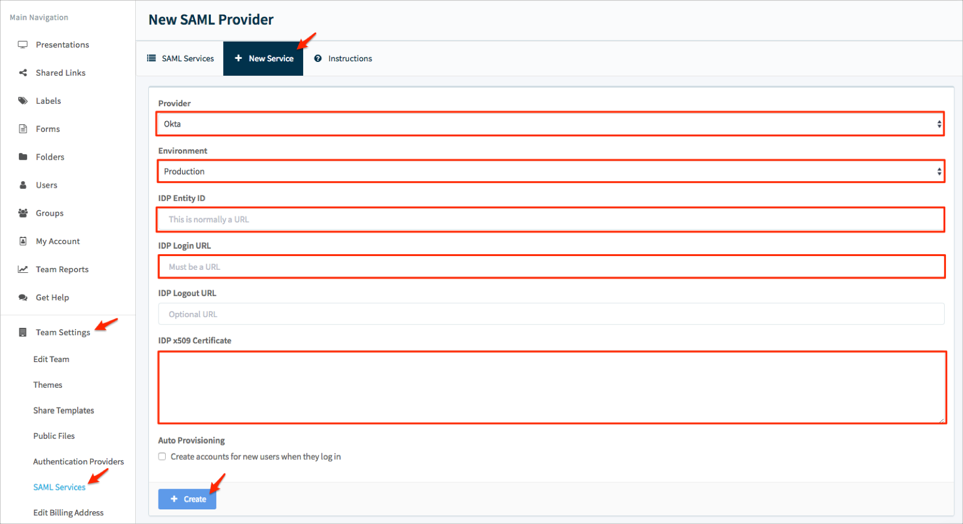
Navigate to Team Settings > SAML Services, click New Service, then follow the steps below:
Provider: Select Okta.
Environment: Select Production.
IDP Entity ID: Copy and paste the following:
Sign into the Okta Admin Dashboard to generate this variable.
IDP Login URL: Copy and paste the following:
Sign into the Okta Admin Dashboard to generate this variable.
IDP Logout URL (optional): Copy and paste the following:
Sign into the Okta Admin Dashboard to generate this variable.
IDP x509 Certificate: Copy and paste the following:
Sign into the Okta Admin Dashboard to generate this variable.
Auto Provisioning (optional): Check this option to enable JIT.
Click Create:
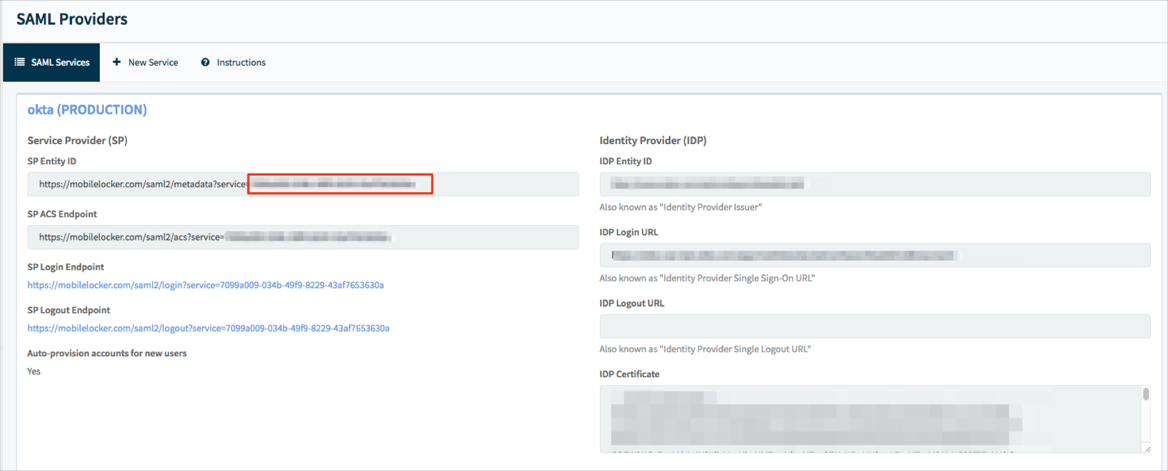
Still on the SAML Services tab, copy your UUID marked in red below and also make a copy of the SP Login Endpoint URL:
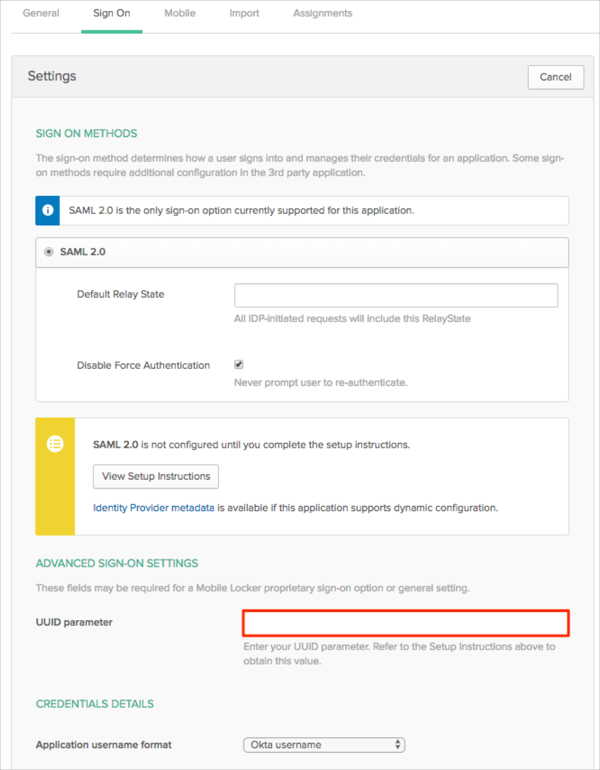
In Okta, select the Sign On tab for the Mobile Locker SAML app, then click Edit.
Enter your UUID parameter you made a copy of in step 3 into the corresponding field.
Click Save:
Done!
The following SAML attributes are supported:
| Name | Value |
|---|---|
| first_name | user.firstName |
| last_name | user.lastName |
| user.email |
Go to the SP Login Endpoint URL you made a copy of in step 3.