The Okta/IDrive SAML integration currently supports the following features:
For more information on the listed features, visit the Okta Glossary.
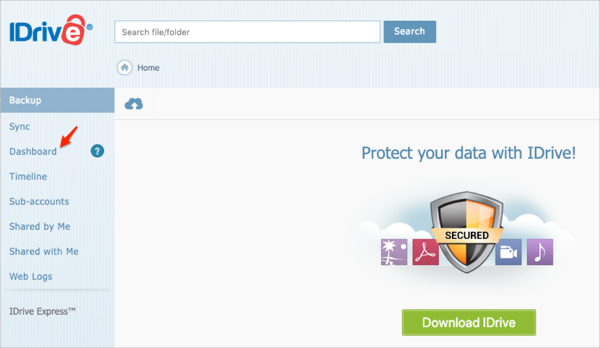
Log into your IDrive account as an administrator.
Select Dashboard:
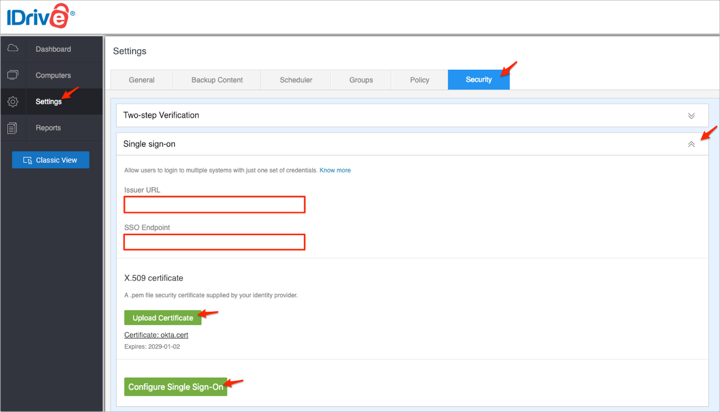
Navigate to Settings > Security, expand Single Sign On, then enter the following:
Issuer URL: Copy and paste the following:
Sign into the Okta Admin Dashboard to generate this variable.
SSO Endpoint: Copy and paste the following:
Sign into the Okta Admin Dashboard to generate this variable.
X.509 Certificate: Save the following certificate as okta.cert, then upload it by clicking Upload Certificate:
Sign into the Okta Admin Dashboard to generate this variable.
Click Configure Single Sign-On:
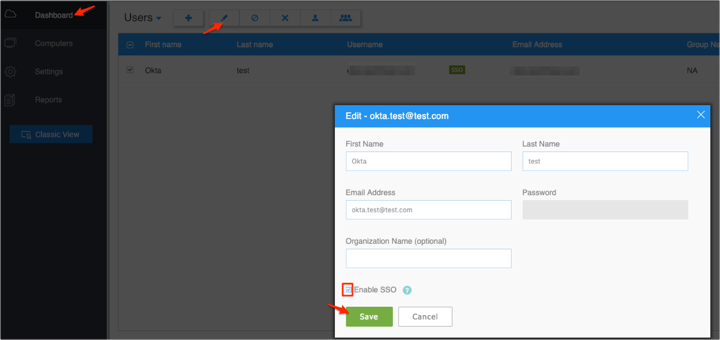
Now you need to enable SSO for a user. Still in IDrive go to Dashboard, select Edit for a user, check Enable SSO, then click Save.
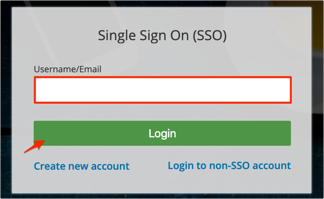
Go to https://www.idrive.com/idrive/login/loginForm, then click Single Sign On (SSO).
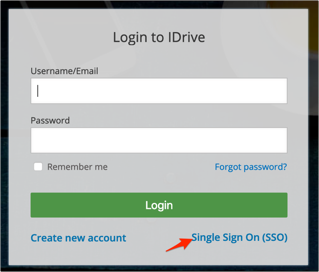
Enter your username or email, then click Login: